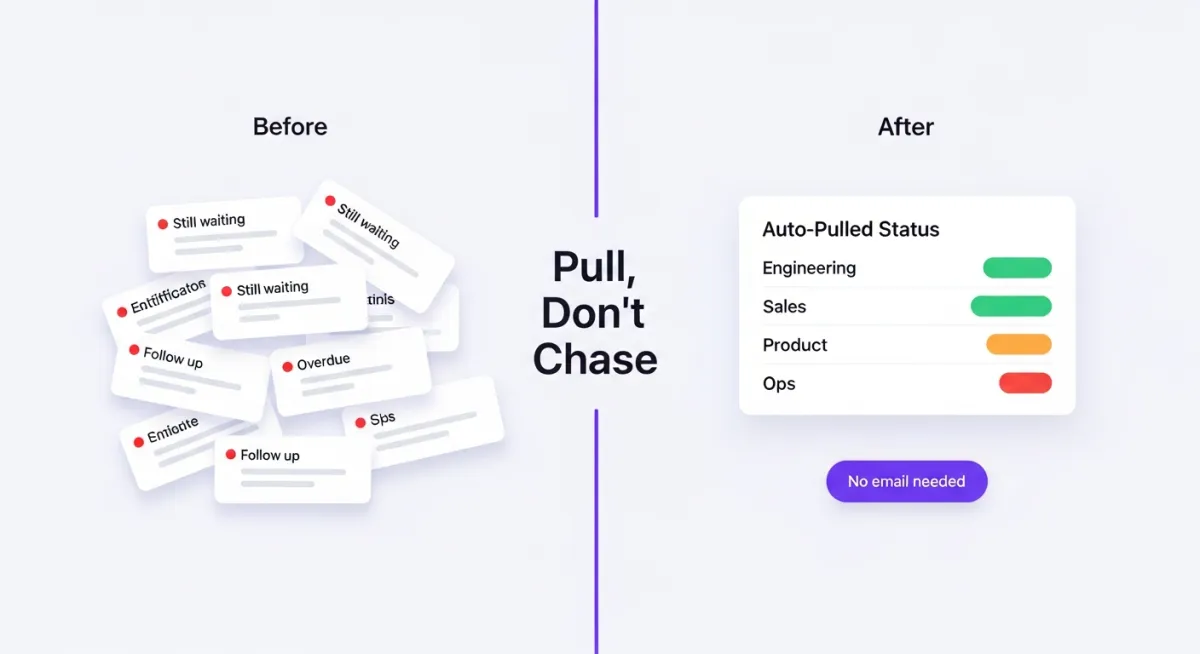
How to Stop Chasing Updates (And Get Them Automatically Instead)
Every Thursday at 3pm, I sent the same email:
"Hi team—can you send me your status update by EOD Friday? Need it for the Monday leadership review. Thanks!"
Every Friday at 6pm, I had responses from 40% of the team.
Every Friday at 7pm, I was sending follow-ups: "Hey, still need your update when you get a chance."
Every Saturday morning, I was still waiting.
This was my life as Chief of Staff. I wasn't managing the organization. I was chasing people for information.
Why "chasing updates" is a symptom, not a problem
Here's what I eventually figured out: when you're constantly chasing people for status updates, the problem isn't that people are lazy or unresponsive.
The problem is that you're asking them to do extra work.
Think about it from their perspective:
They've already: - Updated their tickets in Jira - Posted updates in Slack - Sent emails to their team - Held standups and 1:1s - Written specs in Notion
Now you're asking them to: - Stop what they're doing - Context-switch into "reporting mode" - Manually summarize everything they've already documented elsewhere - Format it in the specific way you need it - Send it to you by an arbitrary deadline
Of course they're slow to respond. You're asking them to duplicate work they've already done.
The four reasons people don't send you updates
After five years of chasing updates, I've identified exactly why people don't respond:
Reason #1: "I already updated it in Jira"
Most engineers and PMs live in Jira, Linear, or Asana. They update their tickets constantly.
When you ask for a status email, they're thinking: "But... it's all in Jira. Can't you just look?"
They're not wrong. The information exists. You're just asking them to manually export it into a different format (email, slide, doc).
From their perspective, this is busywork.
Reason #2: "I don't know what level of detail you want"
You send: "Can you send me an update?"
They think: - Do you want a one-liner? ("On track") - Do you want every ticket? (12 bullet points) - Do you want the strategic context? (3 paragraphs) - Do you want risks flagged? (Or just accomplishments?)
Since they don't know, they either: - Over-deliver (write way too much, takes 30 minutes) - Under-deliver (write "all good," you have to ask follow-ups) - Avoid it entirely (hoping you'll forget or someone else will respond)
Ambiguous requests get deprioritized.
Reason #3: "Nothing interesting happened this week"
Sometimes teams are in execution mode. No big launches. No major blockers. Just steady progress.
When you ask for an update, they think: "What am I supposed to say? We did the work we said we'd do?"
So they either: - Don't respond (because "no news is good news") - Write something vague ("Team is on track") - Manufacture something that sounds important but isn't
When nothing is wrong, updates feel pointless.
Reason #4: "I'm in the middle of something and I'll do it later"
This is the most common reason.
It's 3pm. You send the request. They see it. They think: "I'll do this after I finish this thing I'm working on."
Then they forget.
Or they remember at 8pm and think: "I'll do it first thing tomorrow."
Then Friday happens and suddenly it's the weekend.
Updates compete with real work. Real work wins.
What doesn't work (but everyone tries anyway)
I tried every trick in the Chief of Staff playbook to get people to send updates faster:
❌ "Friendly reminder" emails
"Hey team, just a friendly reminder that updates are due Friday at 5pm!"
This works once. Maybe twice. Then people tune it out.
Why it fails: You're still asking for the same manual work. A reminder doesn't make the work easier.
❌ Making it "fun" or "engaging"
"Let's do roses and thorns this week!" "Share one win and one challenge!"
This works for about three weeks. Then it becomes another checkbox to tick.
Why it fails: You're adding novelty to mask the fact that you're still asking for manual effort. The novelty wears off.
❌ Standing meetings where people give updates
"Let's just do this live in our weekly sync."
Now you've burned an hour of everyone's time to hear status updates that could have been async.
Why it fails: This is even more expensive than email updates. You've just traded writing time for meeting time.
❌ Escalating to their manager
"Can you make sure your team sends me updates?"
Now their manager is chasing them. You've just delegated the nagging.
Why it fails: You've added a layer of bureaucracy. People resent it even more.
The only approach that actually works
After trying everything, I finally figured it out:
Stop asking people to create updates. Start pulling updates from where they already work.
Here's what that looks like:
Instead of: "Send me your status by Friday"
Do this: Pull status automatically from Jira/Linear/Notion
If the engineering team lives in Jira: - Pull completed tickets from the past week - Pull open tickets that are overdue or blocked - Pull upcoming milestones and their status - Format it into a readable summary
They don't have to do anything. You get the update automatically.
Instead of: "What are your current risks?"
Do this: Surface risk conversations from Slack automatically
If the team discusses blockers in their #engineering channel: - Look for messages with keywords like "blocked," "delayed," "problem" - Look for messages with the 🚨 emoji (establish this as your team's "flag this" convention) - Surface these in your roll-up
They don't have to write a risk report. You already see the conversation.
Instead of: "What changed this week?"
Do this: Compare this week's data to last week's automatically
If you're tracking metrics, milestones, or deliverables: - Compare current state to last week - Automatically generate a "what changed" section - Flag significant changes (timeline shifts, new blockers, metric changes)
They don't have to remember what changed. The system detects it.
A concrete example: Before and after
Let me show you what this looks like for a typical Chief of Staff workflow.
Before: Manual update chasing (the old way)
Thursday, 3pm: Send email to 6 department heads: "Status update due Friday 5pm for Monday's leadership review."
Friday, 5pm: Receive 2 responses. Both are vague: - Engineering: "Team is on track. Should hit the milestone on time." - Product: "Good progress this week. A few minor issues but nothing critical."
Friday, 6pm: Send follow-ups to the 4 who didn't respond.
Friday, 8pm: Receive 1 more response (Sales). It's too detailed—12 bullet points about deals. You'll have to summarize it.
Saturday, 10am: Send another round of follow-ups with "urgent" in the subject line.
Saturday, 2pm: Receive 2 more responses. One is still vague. One is excellent but way too long.
Saturday afternoon: Spend 3 hours: - Chasing the last person (still no response) - Rewriting the vague ones (by looking at their Jira boards manually) - Summarizing the too-detailed ones - Formatting everything into a deck
Sunday: The last person finally responds. You have to revise the deck.
Monday morning: Present to leadership. Someone asks a question about Engineering's status. The update was vague, so you don't actually know the answer.
Total time spent: 5+ hours, plus the stress of chasing people all weekend.
After: Automatic update pulling (the better way)
Thursday, 3pm: You don't send any emails.
Friday, 10am: Your system automatically pulls status:
From Jira (Engineering): - Completed this week: 8 tickets closed (mobile app UI, API endpoint, bug fixes) - Blocked: 2 tickets waiting on design review - At risk: Authentication refactor delayed by 3 days due to unexpected complexity - Upcoming: iOS app submission targeted for next Friday
From Salesforce (Sales): - Closed this week: $150k new ARR (3 deals) - Pipeline: $2.1M in qualified opportunities - At risk: $500k deal pushed to next quarter (customer budget frozen)
From Slack (Product): - Customer feedback score: 8.2 (up from 7.9 last week) - Feature request: "Export to PDF" mentioned by 5 customers this week - Risk flagged: Design team is behind on Q2 planning (🚨 message in #product channel)
From Notion (Operations): - Headcount: Hired 2 (1 engineer, 1 sales). 3 open roles. - Budget: On track. No surprises.
Friday, 10:30am: System drafts a summary in your standard format:
ENGINEERING:
✅ Completed 8 tickets including mobile UI and API work
⚠️ Auth refactor delayed 3 days (scope complexity)
🚨 2 tickets blocked on design review

SALES:
✅ Closed $150k new ARR (ahead of weekly target)
📊 Pipeline: $2.1M qualified
⚠️ Big deal ($500k) pushed to next quarter

PRODUCT:
✅ Customer satisfaction up (7.9 → 8.2)
💡 Top feature request: PDF export (5 mentions)
⚠️ Design team behind on Q2 planning

OPERATIONS:
✅ Hired 2, recruiting for 3 more
✅ Budget on track
Friday, 11am: You review the draft (10 minutes): - Add context to the engineering delay ("This was expected—we discussed this last week") - Flag the sales deal for CEO review ("Should we reach out to this customer?") - Confirm with Product lead about design delay ("Is this going to impact Q2 launch?")
Friday, 11:30am: You approve the summary and send to leadership.
Monday morning: Leadership review starts. All the information is accurate and current. When someone asks about Engineering's delay, you have the context ready because you reviewed it Friday.
Total time spent: 30 minutes. No chasing. No stress.
The architecture that makes this work
You don't need fancy AI. You need three simple components:
1. Define what "status" means for each team
Instead of asking for "an update," define specific data points you need:
For Engineering: - Completed tickets this week - Blocked or overdue tickets - Upcoming milestones and their status - Any risks or delays flagged
For Sales: - Closed deals (ARR, deal count) - Pipeline changes - At-risk deals - Forecast vs. target
For Product: - Features shipped - Customer feedback scores - Top feature requests - Roadmap changes
Once you define these, you can pull them automatically instead of asking for them manually.
2. Connect to source systems
Most of this data already exists somewhere: - Engineering status is in Jira, Linear, GitHub - Sales status is in Salesforce, HubSpot - Product feedback is in customer support tools, Slack - Operations status is in BambooHR, email
Connect to these systems once. Pull automatically every week.
3. Draft automatically, review manually
The system drafts a summary based on the data. You review it and add context: - "This delay was expected" - "This deal pushed because of customer budget issues, not our fault" - "This metric is up because we launched a new feature"
The system gives you 80% accuracy. You add the 20% that requires human judgment.
The tools that actually do this
When I built Dotted, this was the exact workflow I designed:
- Connect once to Jira, Slack, Notion, Salesforce, etc.
- Define your template (what status you need from each team)
- Pull automatically every week (or whenever you need an update)
- Review and refine (add context, adjust tone, approve)
- Distribute (send to leadership, post in Slack, add to board deck)
This is what Dotted does. But you could also build this yourself with: - Zapier (for simple data pulling) - Custom scripts (if you have eng resources) - Notion API (if your org lives in Notion)
The point isn't the tool. The point is the architecture: pull, don't push. Automate aggregation, not communication.
Three rules for a "no chasing" culture
Even with automated pulling, you still need some cultural norms:
Rule #1: Updates happen where work happens
Don't ask people to go to a special place to report status.
If Engineering lives in Jira, pull from Jira. If Sales lives in Salesforce, pull from Salesforce. If Product discusses things in Slack, pull from Slack.
The system comes to them. They don't come to the system.
Rule #2: Consistency over completeness
It's better to get an okay update every week than a perfect update sometimes.
Define a simple format: - What got done - What's blocked - What's coming next
That's it. Don't ask for essays. Don't ask for strategic reflections. Just facts.
Simple and consistent beats detailed and sporadic.
Rule #3: Humans add context, systems pull data
The data (tickets closed, deals won, metrics) comes from systems automatically.
The context (why it matters, what's changing, what needs attention) comes from humans.
When you ask people for updates, you're asking for context only. Not data.
"Here's the data I pulled from Jira. Does this capture everything, or is there context I'm missing?"
That's a 2-minute question, not a 30-minute report.
What this actually buys you
The goal isn't just to save time (though saving 5 hours/week matters).
The goal is to change your relationship with the team.
When you're chasing updates: - You're a nag - Teams resent you - You spend weekends sending follow-ups - Information is always late
When updates happen automatically: - You're a synthesizer - Teams appreciate that you make their work visible - You spend time analyzing, not chasing - Information is always current
Most importantly: you shift from reactive (chasing) to proactive (interpreting).
That's the Chief of Staff role you signed up for.
Three things to do this week
1. Pick one team to pilot with
Don't try to automate everything at once. Pick the team that's easiest: - Engineering (if they live in Jira) - Sales (if they live in Salesforce) - Product (if they document in Notion)
Set up automatic pulling for just that team. Test it for 2 weeks.
2. Define your "status template" for that team
Write down exactly what data points you need: - What completed? - What's blocked? - What's next? - Any risks?
Make it specific. "Completed tickets" is better than "an update on progress."
3. Stop sending "status update due Friday" emails
For the pilot team, send a different email:
"I'm trying something new. Instead of asking for manual updates, I'm going to pull your status directly from Jira every Friday and draft a summary. I'll send it to you for review—if it's accurate, you just confirm. If I'm missing something, you add it. Should save everyone time. Let me know if you have questions."
Test it for 2 weeks. See if it works. Expand to other teams.
If your Fridays are still consumed by Slack messages that say "hey, can you send me your update?" — there's a better way. It took me three years of chasing updates to figure it out, and the answer wasn't more discipline. It was better architecture. Reply here if you want to talk through what that looks like for your team.
Dotted pulls updates automatically from the tools your teams already use — no more chasing. See it in action at trydotted.com
